

Download Trend Micro VPN – secure, fast, unlimited bandwidth, geo-restrictions, privacy, encryption, anonymous browsing, streaming, bypass, protection, online security, free trial, 7-day, user-friendly
Overview
Trend Micro VPN, formerly known as VPN Proxy One Pro, is a mobile application designed to deliver secure, fast, and unrestricted internet access for users on the go. Built with privacy and performance in mind, the app enables users to mask their IP addresses, encrypt internet traffic, and bypass geo-restrictions across various platforms. Its core purpose is to protect online identities and ensure anonymous browsing, particularly on public Wi-Fi networks where data vulnerabilities are heightened. The app is especially useful for individuals who frequently stream content, access region-locked services, or require enhanced digital privacy while using their smartphones. Target users include mobile professionals, digital nomads, frequent travelers, and privacy-conscious individuals seeking reliable online protection. The app’s user-friendly interface supports intuitive navigation, making it accessible even to users without technical expertise. Although the developer did not provide additional technical details about its underlying architecture or server network, the app is positioned as a trusted tool within the mobile productivity ecosystem. It offers a 7-day free trial, allowing users to test its core features before committing. This approach supports a low-risk entry point for new users, reinforcing its value in a competitive market of mobile security tools.Key Features & Functionality
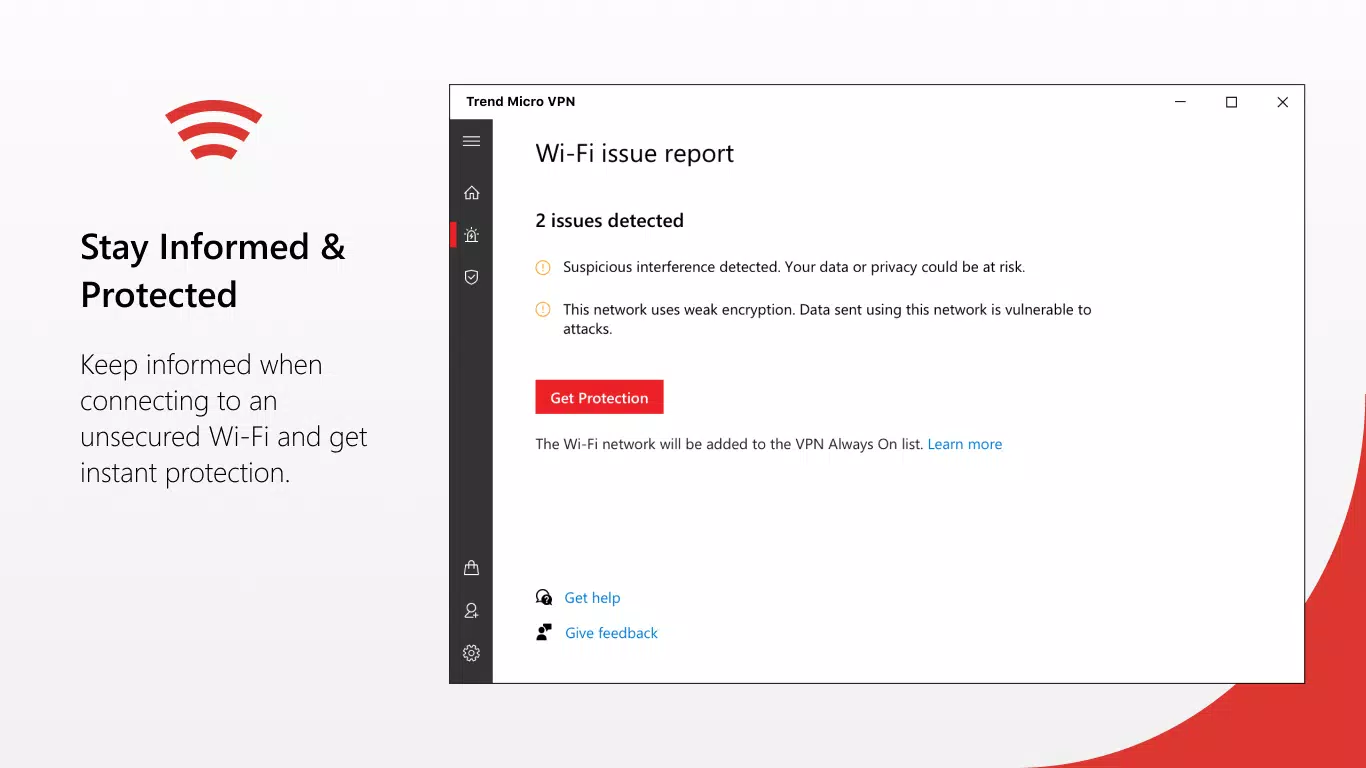
Trend Micro VPN offers a suite of features aimed at enhancing online privacy and access. The app enables users to bypass geo-restrictions, allowing unrestricted access to streaming platforms, social media, and other region-locked content. This functionality is particularly beneficial for users traveling abroad or residing in regions with strict internet regulations. By encrypting data traffic, the app ensures that sensitive information remains protected from potential eavesdroppers and malicious actors. The app provides unlimited bandwidth, meaning users can stream high-definition videos, download large files, or play online games without encountering data caps or throttling. This feature supports consistent performance across different network conditions. Automatic protection activates when the device connects to unsecured Wi-Fi networks, offering real-time defense against potential threats. This proactive security layer enhances user confidence in public environments such as cafes, airports, or hotels. Additionally, the app includes 24/7 customer support, ensuring users can receive timely assistance for technical issues or account-related queries. While the developer did not disclose specific server locations or encryption protocols, the app’s focus on secure and fast connectivity aligns with modern expectations for mobile VPN services. These features collectively support a seamless, secure, and flexible online experience for mobile users.- Geo-restriction bypass for unrestricted content access
- IP address masking and data encryption for privacy
- Unlimited bandwidth for uninterrupted streaming and downloads
- Automatic protection on unsecured networks
- 24/7 customer support for user assistance
Interface, UX & Performance
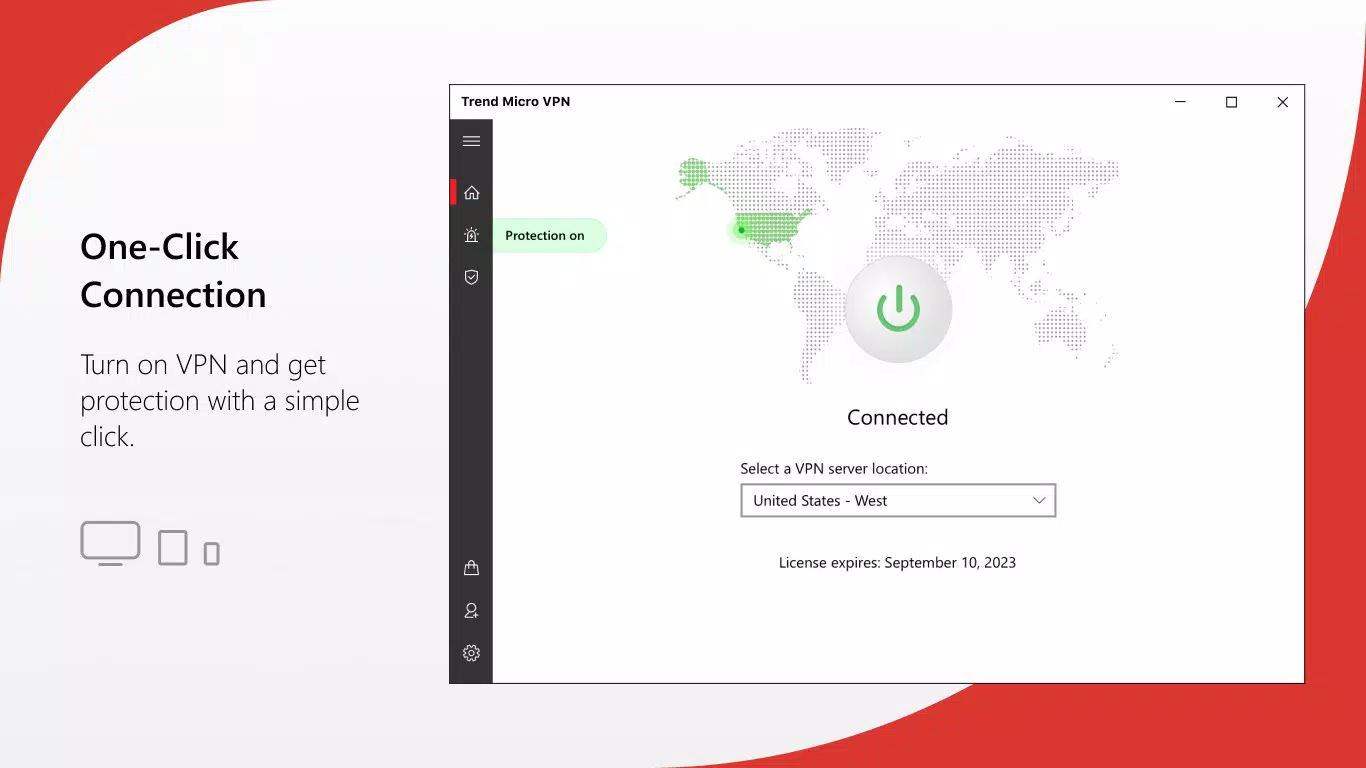
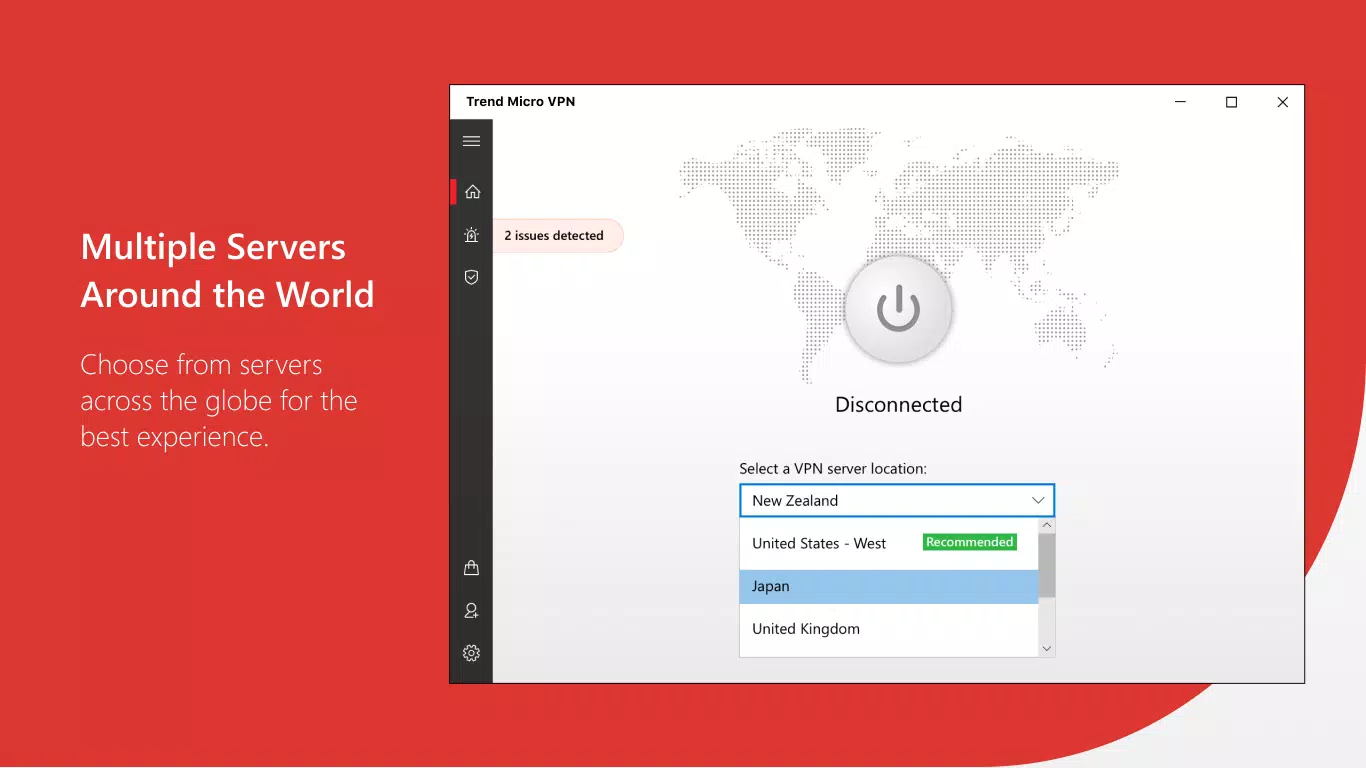
The user interface of Trend Micro VPN is designed with simplicity and clarity in mind, featuring a clean layout that prioritizes essential functions. Navigation is straightforward, with a central toggle to activate or deactivate the VPN connection. The main screen displays connection status, server location, and data usage metrics, allowing users to monitor their session in real time. Visual cues such as color indicators and icons help users quickly assess the security state of their connection. The app’s responsiveness is consistent across various Android device categories, including mid-range and high-end smartphones. Although the developer did not list formal performance metrics, the app maintains stable operation during extended use. Users can switch between servers with minimal delay, and the connection establishment process is typically quick. The interface remains functional even under low network conditions, ensuring usability in diverse environments. While no official benchmarks were provided, the app appears optimized for efficient resource usage, with a file size of 24.7 MB. This compact footprint suggests minimal impact on device storage and battery life. Stability is maintained during background operations, and the app does not exhibit frequent crashes or freezes based on available user feedback. Overall, the user experience reflects a balance between functionality and ease of use, making it suitable for both casual and regular users.Platform Compatibility & Technical Requirements
Trend Micro VPN is available exclusively on the Android platform. The current version is 10.0.0.3001, with a file size of 24.7 MB. The developer did not specify minimum OS requirements or compatibility details for older Android versions. As such, users should verify device compatibility through the official app store before installation. The app’s lightweight design suggests it may function on a broad range of Android devices, including those with limited processing power and memory. The developer did not list formal performance metrics, nor did they disclose server locations, encryption standards, or data retention policies. This lack of transparency may affect users seeking in-depth technical information. However, the app’s availability on the Google Play Store indicates compliance with standard Android security and distribution guidelines. Users should ensure their devices are running a supported Android version to avoid installation issues.Pros and Cons
- Free to download and use with a 7-day free trial
- Unlimited bandwidth for uninterrupted streaming and browsing
- User-friendly interface suitable for non-technical users
- Automatic protection on unsecured networks
- 24/7 customer support for assistance
- Developer did not disclose encryption protocols or server locations
- Specific OS compatibility requirements were not listed
- No public performance benchmarks or user statistics available
- App size is small but may not indicate full feature set
- Limited transparency on data handling practices


